
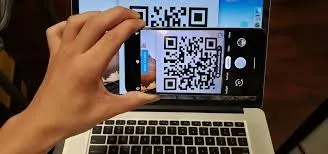
Uses a camera, such as a webcam connected to a Display Spot running PIXILAB Player software, to scan a QR code, presenting the result as a property. While this can be used to scan any QR code in a generic way, it’s particularly useful in conjunction with a QR Code block presenting the identity of a visitor, as described in the previous section.
NOTE: This is a premium block type, requiring additional license options in order to be displayed. When presented on other types of Spots than those running PIXILAB Player, your Blocks server must support https and the Spot must connect using https.
• Select Mirror Viewfinder to mirror the preview. This sometimes make the positioning of the image more natural. It has no effect on the scanned code.
• When scanning a code, the property exposing the result will be set to the scanned code for the duration specified by QR Code Lingers, and then reset to empty string. This time needs to be long enough for the code to be recognized by the script or task triggered by scanning the code, yet short enough to not get in the way of any subsequent scanning of the same code. In general, one second is OK here, but a shorter time may be needed if you must be able to scan the same code repeatedly with higher frequency.
• Chose to expose the scanned code to the Spot’s scannerInput property or to an arbitrary property (such as a Realm variable or a Script property).
لا توجد تقييمات بعد.